
Split URL testing can lead to huge benefits in your website or app. If you’re new to testing, you’re at the right place. These 5 guidelines are important to running any test.

CSS Pop In Effect: Easy Keyframe Animation Tutorial
Adding smooth animations to your website is simple with the CSS @keyframes at-rule. In this tutorial, I’ll show you how to create a clean pop in effect using CSS keyframe animation. This technique is great for buttons, modals, or any element you want to draw attention to. Understanding the Pop In Effect The pop in …
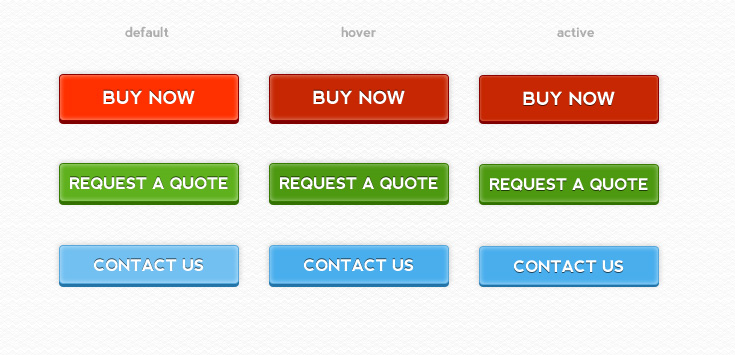
Slick 3D Buttons (PSD)
Here are a few buttons including default, hover and active states. These are great if you need an eye catching call to action. The font used was Nevis which you can get for free here.
8mm Rokinon Fisheye Lens Review

After reading Lifehacker’s “2011 The Best Photo Gear of the Year” and only seeing one lens on the list, I knew I had to purchase it. That lens was the 8mm Rokinon Fisheye Lens (for Canon/Nikon/Sony/Etc Cameras) which was a great deal at $300.

Standard Palindrome in PHP
A palindrome is a word or phrase that reads the same forwards and backwards, ignoring spaces and punctuation. “Racecar”, “level”, and “A man a plan a canal Panama” are all palindromes.
Here’s a PHP script that checks whether a string is a standard palindrome by stripping non-alphanumeric characters, lowercasing, and comparing the result against its reverse.

Create a Basic Peeling Sticker Effect in Photoshop
A peeled sticker effect is a great effect to add to any design. Freom band logos to web design a peeled sticker effect can add a unique touch to any design.
Here’s how to do a basic peeled sticker effect in Photoshop.
7 Awesome Hand Drawn Fonts for Designers (Free)
Looking to spice up your designs with some new fonts? This quick round-up of seven hand-drawn fonts will add a touch of creativity to your projects. Each font in this list has a unique flair, perfect for making your designs stand out. Angelina ArtBrush Daniel Good Dog HandWerk Journal TrashHand Hand-drawn fonts add a unique …
Create Slick Silver Text in Photoshop

Nicely looking text is always a great addition to your design. You may have seen this style around the web and it is very easy to make. It’s perfect for welcome text, logos, and headers.
Began with making some text (or apply this to any current text you have), fonts that are thicker work better for this technique since it’s more noticeable.
Display Images in HTML
Ok so you want to add a image to a HTML document, heres how you do it. <img src=”URL OF IMAGE”> <img src=”http://www.google.com/intl/en_ALL/images/logo.gif”> This would produce this: More advanced things include alt, border, height, and width. Like this <img src=”http://www.google.com/intl/en_ALL/images/logo.gif” alt=”Google’s Logo” border=”2″ height=”30″ width=”30″> That would make this, because the height and width is …
Creating Links in HTML
Ok well you want to link your pages to each other here’s what you need to do. <a href=”/page.html”>Name of the Link</a> Here is the code you use, the href is the page you want to link to. If you want to a page that’s not a local file you can do. <a href=”http://google.com”>Google</a> You …